CareerBook ERP™ Platform
One Platform. Every Institution. Complete Operational Visibility.
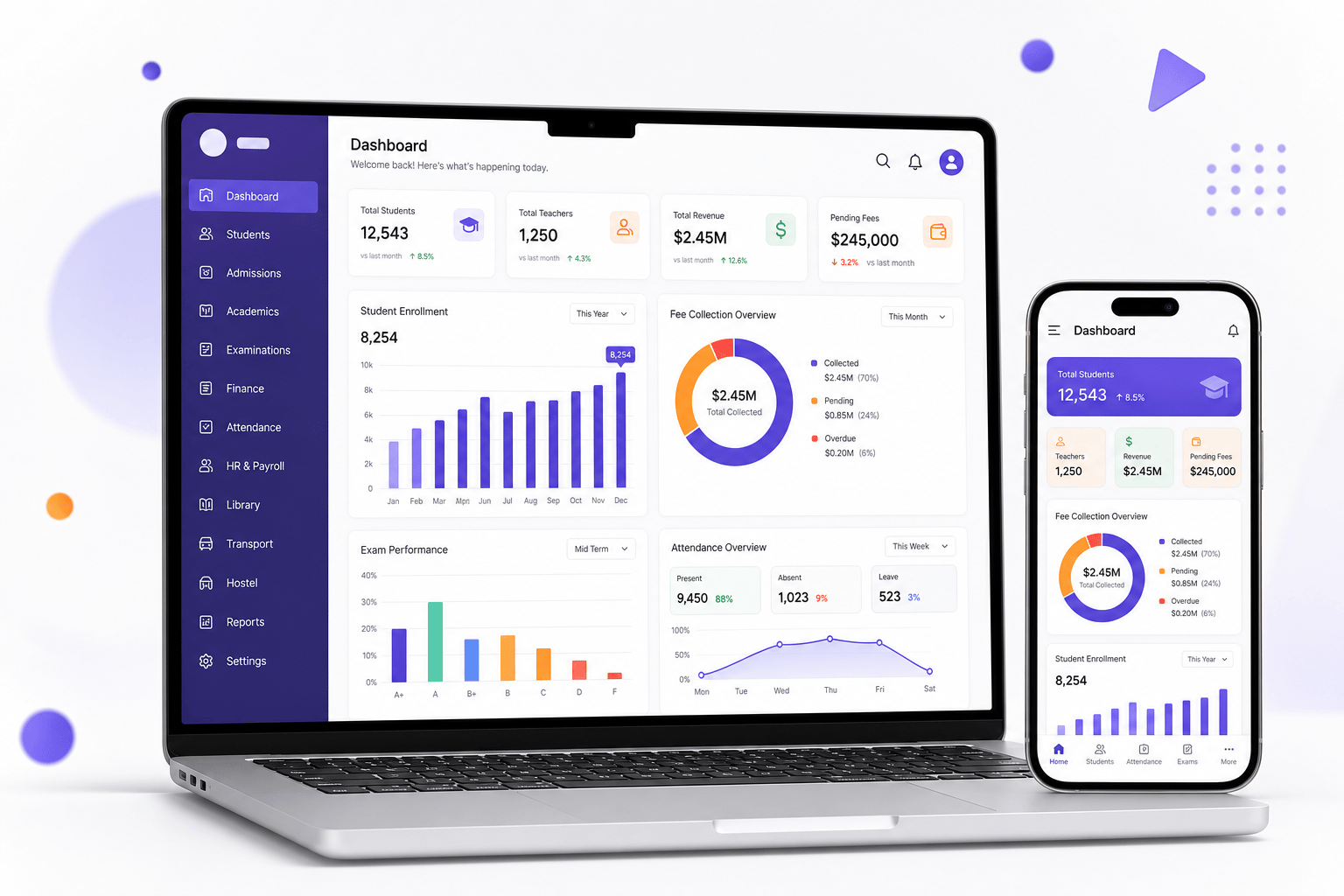
CareerBook ERP™ is an integrated Enterprise Education Operating System (EEOS) for admissions, academics, examinations, finance, HR, campus operations and reporting — on one connected platform.
Enterprise Education Operating System (EEOS)
Institutions
Education groups — scale Confirm
Stakeholders
Students & educators — Confirm
Countries
Deployment footprint — Confirm
Integrated Modules
Modular EEOS suite — Confirm
Scale metrics publish only when marketing-approved.
Product architecture
A Strong Foundation for a Connected Institution
From experience surfaces to security and cloud infrastructure, CareerBook ERP™ is layered so institutions can activate relevant suites on a shared foundation.
Explore Our Architecture- 01
User Experience Layer
Role-based dashboards and portals for staff, students, parents and leadership.
- 02
CareerBook Intelligence™
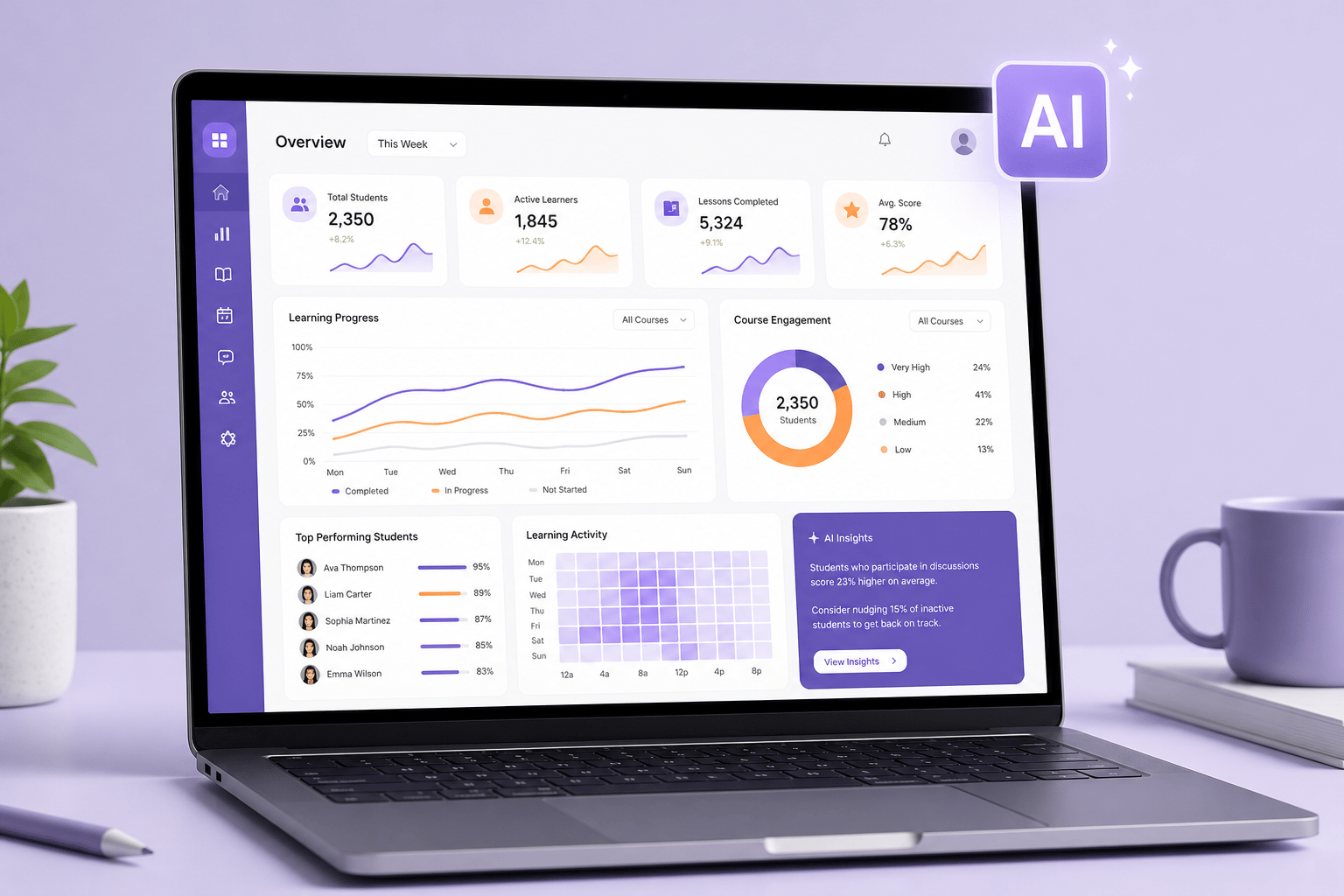
Analytics and AI-assisted insights connected to live institutional data — availability labelled.
- 03
Solution Suites
Integrated education modules spanning admissions through reporting.
- 04
Platform Services
Workflows, documents, identity, integrations and shared platform capabilities.
- 05
Unified Data Layer
A single institutional data foundation so departments work from the same records.
- 06
Security & Cloud Infrastructure
Scalable hosting with identity, access and audit practices — details on Security.
Complete Institutional Management in One Platform
Activate the suites you need now and expand later — modules share one institutional foundation.
Admissions & CRM
Capture enquiries, nurture applicants and convert admissions with auditable workflows.
- · Enquiry capture
- · Lead tracking
- · Application processing
Academics & Learning
Curriculum, timetables, attendance and learning workflows on one academic core.
- · Timetable management
- · Attendance
- · Learning workflows
Examination & Evaluation
Plan exams, evaluate scripts and publish results with clearer audit trails.
- · Exam planning
- · Evaluation
- · Results publication
Finance & Accounts
Fee structures, collections and institutional finance visibility where configured.
- · Fee collection
- · Concessions
- · Reconciliation
Human Resources
Staff records, attendance and HR workflows that connect to campus operations.
- · Staff records
- · Attendance
- · HR workflows
Operations & Campus Management
Coordinate multi-campus and group operations with clearer central visibility.
- · Campus hierarchy
- · Shared policies
- · Group oversight
Communication & Engagement
Reach students, parents and staff through connected institutional messaging.
- · Announcements
- · Parent outreach
- · Staff messaging
Reports & Executive Intelligence
Operational reports and leadership views grounded in connected institutional data.
- · MIS reports
- · Dashboards
- · Executive views
Built for every stakeholder
One Platform. Different Roles. A Connected Institution.

Management
See enrolment, academics, finance and operations in one connected view.
Principals
Coordinate campus priorities with clearer departmental visibility.
Teachers
Manage academic workflows, attendance and student engagement in context.
Accountants
Work with fee and finance processes that share the institutional record.
HR Admins
Keep staff records and campus HR workflows aligned to operations.
Students & Parents
Access relevant academic, fee and communication experiences where enabled.
Designed for Impact
Intended outcomes — results vary by institution type, configuration and adoption.
Connected Operations
Reduce duplicated work when departments share structured institutional data.
Improved Visibility
Help authorised leaders see what matters without chasing disconnected reports.
Consistent Processes
Configure shared workflows once and apply them across modules and campuses.
Scalable Management
Start with core suites and expand as campuses, programmes and teams grow.
CareerBook Intelligence™
From Connected Data to More Informed Decisions
Move from fragmented reports to role-based visibility — with clear labels for Available, Pilot and Planned capabilities.
- Available
Institutional Insights
Dashboards and MIS views grounded in connected operational data.
- Available
Performance Monitoring
Track academic, operational and financial indicators configured for your roles.
- Pilot
Implementation Assistant
Guided implementation help — currently in development / pilot pathways.
- Planned
AI Success Layer™
Deeper AI-assisted capabilities described as Planned until product confirms release.
More Than Software. A Partner for Your Success.
A structured implementation path — timing depends on institution scope and readiness.
- 01
Discover & Plan
Understand institution type, campuses, priorities and rollout scope.
- 02
Configure & Prepare
Set up workflows, roles and data migration planning for go-live.
- 03
Train & Go Live
Prepare users with role-based orientation before live operations.
- 04
Support & Improve
Ongoing support and iterative improvement after launch.
Our Journey in Numbers
Soft footprint indicators — hard figures publish only when marketing-approved.

Institutions
Education groups — scale Confirm
Stakeholders
Students & educators — Confirm
Countries
Deployment footprint — Confirm
Integrated Modules
Modular EEOS suite — Confirm
Illustrative map — not a claim of offices in every region shown.
Explore the Platform
Architecture, integrations, security, mobile apps, analytics and CareerBook Intelligence™.
Product Architecture
Explore CareerBook ERP™ architecture, including modular education workflows, analytics, AI integration, shared platform services, infrastructure, and third-party integrations.
Learn moreIntegrated Education ERP
How CareerBook ERP™ connects admissions, academics, examinations, finance, HR, governance and communication on a single data model for schools, colleges and universities.
Learn moreModules and Capabilities
Browse the CareerBook ERP™ module landscape spanning admissions, academics, examinations, finance, HR, accreditation, communication, analytics and more.
Learn moreCareerBook Intelligence™
Explore CareerBook Intelligence™, the AI layer for CareerBook ERP™—supporting education workflows, analytics, knowledge assistance, and smarter institutional decisions.
Learn moreAI Implementation Assistant
A planned CareerBook ERP™ capability to guide institutions through configuration and rollout with AI-assisted recommendations. Not available as live functionality yet.
Learn moreAI Success Layer™
CareerBook AI Success Layer™ is a planned readiness framework to review critical ERP configurations before go-live. Not available as live functionality yet.
Learn moreIntegrations and APIs
Explore CareerBook ERP™ integration options for payment gateways, banking, education portals, LMS platforms, communication services, devices, accounting systems, and custom APIs.
Learn moreSecurity and Data Protection
Learn about CareerBook ERP™ security practices, dedicated cloud infrastructure, encryption, access controls, audit logging, backup and disaster recovery, and operational safeguards.
Learn moreMobile Applications
Access CareerBook ERP™ on Android and iOS with role-based education workflows, attendance, fee payments, assignments, announcements, push notifications, reports, and messaging.
Learn moreReports and Analytics
Explore education ERP dashboards, MIS reports, academic and financial analytics, institution comparisons, and predictive insights with CareerBook ERP™.
Learn more
Your Questions, Answered
Frequently asked questions about the platform.
What is an Enterprise Education Operating System (EEOS)?
An EEOS is a unified platform that runs academic, administrative, financial and governance processes on a shared data model — going beyond a traditional school or college ERP.
Which institution types does CareerBook ERP™ support?
CareerBook ERP™ can be configured for schools, colleges, universities, training providers, sports academies and multi-campus groups. Exact module scope depends on your deployment.
Can we start with a few modules and expand later?
Yes. Most institutions begin with a core set — typically admissions, student information and finance — then activate additional suites as they grow.
Does the platform support multiple campuses?
Yes. Where hierarchy is configured, CareerBook ERP™ can support multi-campus groups with campus-level operations and consolidated oversight for authorised leaders.
How do user roles work?
Access is role-based. Institutions configure permissions so management, academic staff, finance, HR, students and parents see only what they are authorised to use.
Is data migration supported?
Data migration planning is part of implementation discovery. Scope, sources and validation steps are agreed per project rather than as a fixed outcome guarantee.
What AI capabilities are available today?
Institutional insights and performance monitoring are Available where licensed. Implementation assistance may be Pilot. Deeper AI layers remain Planned until product confirms release.
How do we arrange a demo?
Request a demo and share your institution type, campuses and priority modules. Our team will follow up with the right product and implementation context.

Let's Build a More Connected Future for Education
See how CareerBook ERP™ can support your institution type, campuses and priority workflows.