Mobile apps for every stakeholder
Your Complete Education ERP in Your Pocket
All the power of CareerBook ERP™ on Android and iOS. Access role-relevant features anytime, anywhere — for students, parents, teachers, staff and management.
All ERP Features on Mobile
Role-relevant workflows where the mobile release supports them.
Real-time Notifications
Push and in-app alerts — delivery depends on device and network.
Secure Access
Signed-in, permission-scoped sessions for each stakeholder.
Android & iOS Apps
Designed for both platforms — store listings Confirm per release.
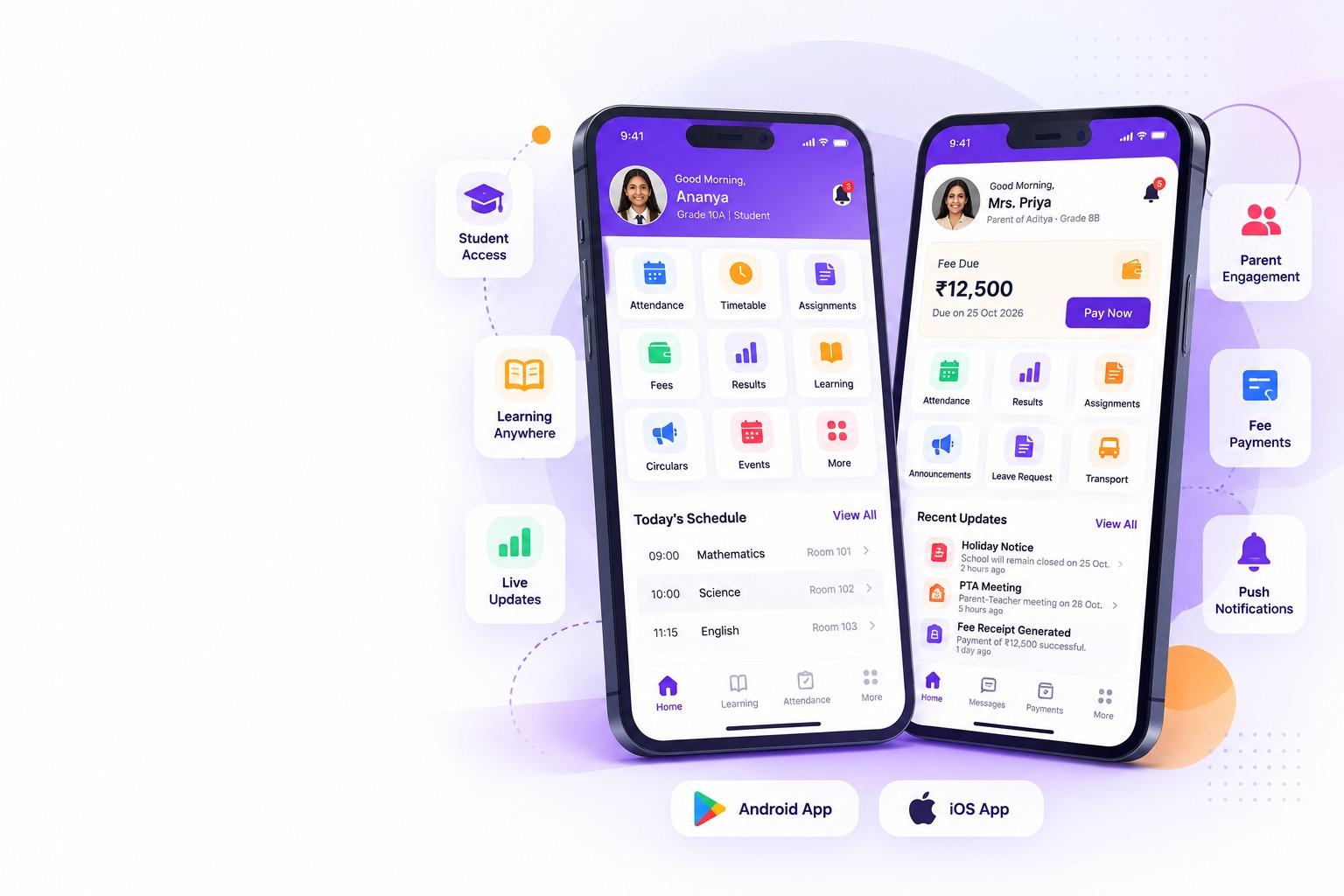
- Same Features as Web ERP
- Real-Time Updates
- Push Notifications
- Secure & Reliable
- Easy to Use
- Available on Android & iOS
Apps for all stakeholders
One Platform. Everyone Connected.
Role-based mobile experiences for students, parents, teachers, staff and management. Packaging may be one app with roles or separate listings — Confirm with product for your institution.
Download CareerBook ERP Mobile App
Store badges and QR codes publish once listings are live. Request a demo for activation details.
 Students App
- Attend classes / view attendance
- View timetable
- Assignments & homework
- Exams & results where permitted
- Announcements & circulars
- Chat with teachers where enabled
Role experience — packaging Confirm with product.
 Parents App
- Track attendance
- Pay fees online where configured
- View results & reports
- Assignments visibility
- Announcements
- Message teachers within permissions
Fee payment depends on gateway configuration.
 Teachers App
- Take attendance
- Manage assignments
- Enter marks where mobile supports it
- View timetable
- Daily class updates
- Stakeholder messaging
Some complex tasks may remain browser-first.
 Staff App
- Manage daily tasks
- Approve requests where enabled
- Operational notifications
- Assigned workflows on mobile
- Reports per role permissions
- Campus operations updates
Workflows vary by licensed modules.
 Management App
- Real-time dashboards
- View key reports
- Approvals on the go
- Institution / campus visibility
- Alerts needing attention
- Leadership summaries
Deep analytics may remain browser-first.
All ERP Features, Now on Mobile
Role-relevant workflows comparable to the browser experience where supported. Access is permission-based.
Real-time Sync
Shared ERP data model updates
Works on Android & iOS
Major mobile platforms
Instant Push Notifications
Where configured & permitted
Secure & Encrypted
Authenticated, role-scoped access
Everything You Need. Anytime, Anywhere.
Everyday education actions on mobile. Items marked Confirm should be verified against the current release.
Attendance
HighlightedView or capture attendance by role.
Fee Payment
HighlightedDues and online payment where configured.
Timetable
HighlightedDaily and weekly class schedules.
Exams & Results
ConfirmMarks and results where permitted.
Assignments
HighlightedHomework lists with status updates.
Announcements
HighlightedNews, circulars and notices.
Daily Class Reports
ConfirmClass summaries for parents/teachers.
Chat & Messaging
ConfirmRole-permitted stakeholder messaging.
Push Notifications
HighlightedDevice alerts subject to OS permissions.
Study Materials
ConfirmLearning resources for the right audience.
Leave Requests
ConfirmSubmit or review leave where enabled.
Transport Updates
ConfirmBoarding and route signals where licensed.
Hostel & Mess
ConfirmResidential updates where modules apply.
Events & Calendar
ConfirmInstitution events and key dates.
Birthday Reminders
ConfirmOptional celebrations where enabled.
Approvals
ConfirmLeadership and staff approvals on mobile.
Dashboards
ConfirmRole-ready management signals.
Other ERP Modules
ConfirmAdditional modules as configured.
App screen previews
A Glimpse of the Mobile App Experience
Login, dashboard, attendance, timetable, fees, reports, announcements and messaging — views depend on role permissions.
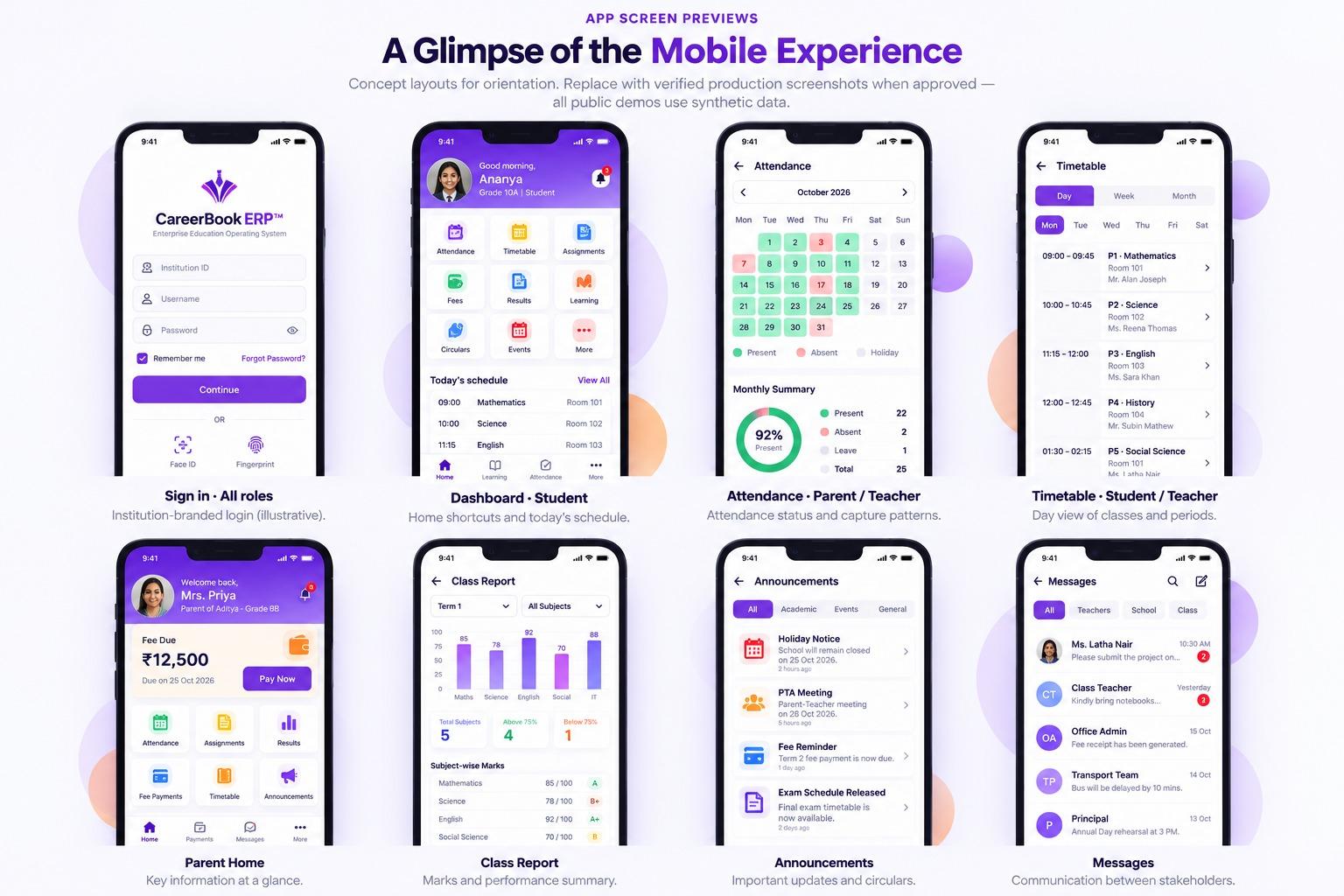
Login Screen
All roles
Dashboard
Student
Attendance
Parent / Teacher
Timetable
Student / Teacher
Fee Payment
Parent
Class Reports
Parent
Announcements
All roles
Chat / Messages
Parent / Teacher

- Check today's classes
- Submit assignment
- View exam updates
- Pay fees online
- Message teachers
A Smarter Way to Manage Education on the Go
Real-time updates, role-based access and everyday workflows — wherever education happens.
Trusted globally
Powering Mobile-First Education
Mobile access supports stakeholders who need updates away from a desktop. Scale figures publish only when marketing-approved.
Institutions
Education groups — scale Confirm
Countries
Deployment footprint — Confirm
Stakeholders
Students & educators — Confirm

Deployed where CareerBook ERP™ is live — including India and the GCC when confirmed for your programme.
Mobile Apps FAQs
Are there separate apps for each stakeholder?
CareerBook ERP™ may deliver mobile access as role-based experiences within published Android/iOS apps, or as distinct packages depending on the product release. Confirm packaging and store listings with our team for your institution.
Is every browser ERP screen available on mobile?
Mobile provides role-relevant workflows comparable to the browser experience where supported. Some complex administrative tasks may remain better suited to a desktop browser.
How do we download the apps?
When store listings are live and approved, download links and QR codes appear here. Until then, request a demo — activation may require institution-specific credentials.
Are push notifications guaranteed in real time?
Notifications can be push and/or in-app depending on configuration and OS permissions. Delivery is not guaranteed in all network or device conditions.
Is fee payment available in the app?
Online fee payment appears where the institution has configured supported gateways. Transaction states (success, pending, failure) follow the payment provider integration.
Stay Informed. Stay Connected. Wherever Education Happens.
Bring everyday education workflows closer to students, parents, teachers, staff and management with CareerBook ERP™ mobile access.