
Skip to content
CareerBook ERP™Enterprise Education Operating System

Communication & Engagement Suite

Every Message Matters. Every Stakeholder Connected.

A connected communication layer for schools and colleges — announcements, circulars, news, chat, notifications, SMS, email and supported WhatsApp workflows across web and mobile apps.

CareerBook ERP™ · Enterprise Education Operating System (EEOS)

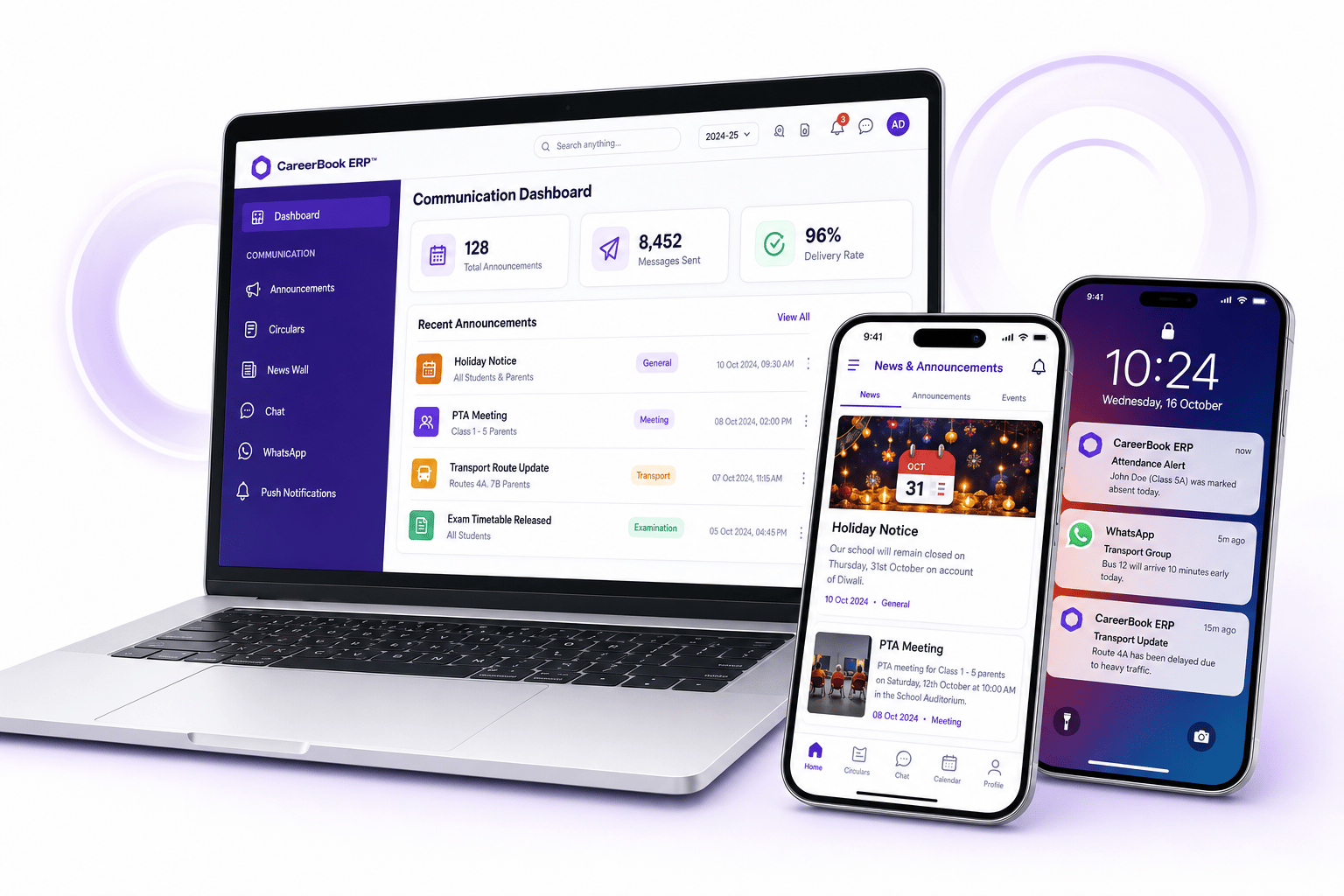
Illustrative CareerBook ERP™ communication dashboard on laptop with mobile news feed and push notification previews
Illustrative product UI with demo metrics — not live customer screenshots.

Students

Stay Informed

Academic and campus updates within permitted channels.

Parents

Stay Connected

Attendance, fees and school notices where permissions allow.

Teachers

Engage Easily

Class announcements and role-appropriate messaging.

Management

Communicate Efficiently

Targeted institutional audiences without identical permissions for every role.

Roles do not share identical permissions. Feature availability may differ by platform and configuration.

Complete communication capabilities

One Platform. Multiple Ways to Connect.

News, circulars, push, WhatsApp, SMS, email, transport and attendance notices, and chat — each channel marked until product validates live behaviour for your deployment.

Communication for Schools and Colleges

Distinct examples for each setting — without inventing unsupported university-only workflows.

Teacher and student using a laptop for school communication

Schools

Day-to-day school communication

  • School circulars and holiday notices
  • Attendance and homework alerts where configured
  • Transport updates subject to transport module
  • Event and holiday notices
  • Teacher–parent communication within permissions
  • News and gallery updates where supported

Explore for Schools
College campus representing higher-education communication

Colleges

Department and campus messaging

  • Department announcements
  • Examination notifications where exam modules connect
  • Academic event updates
  • Student communication for permitted audiences
  • Faculty circulars
  • Campus-wide messaging for authorised audiences
Explore for Colleges
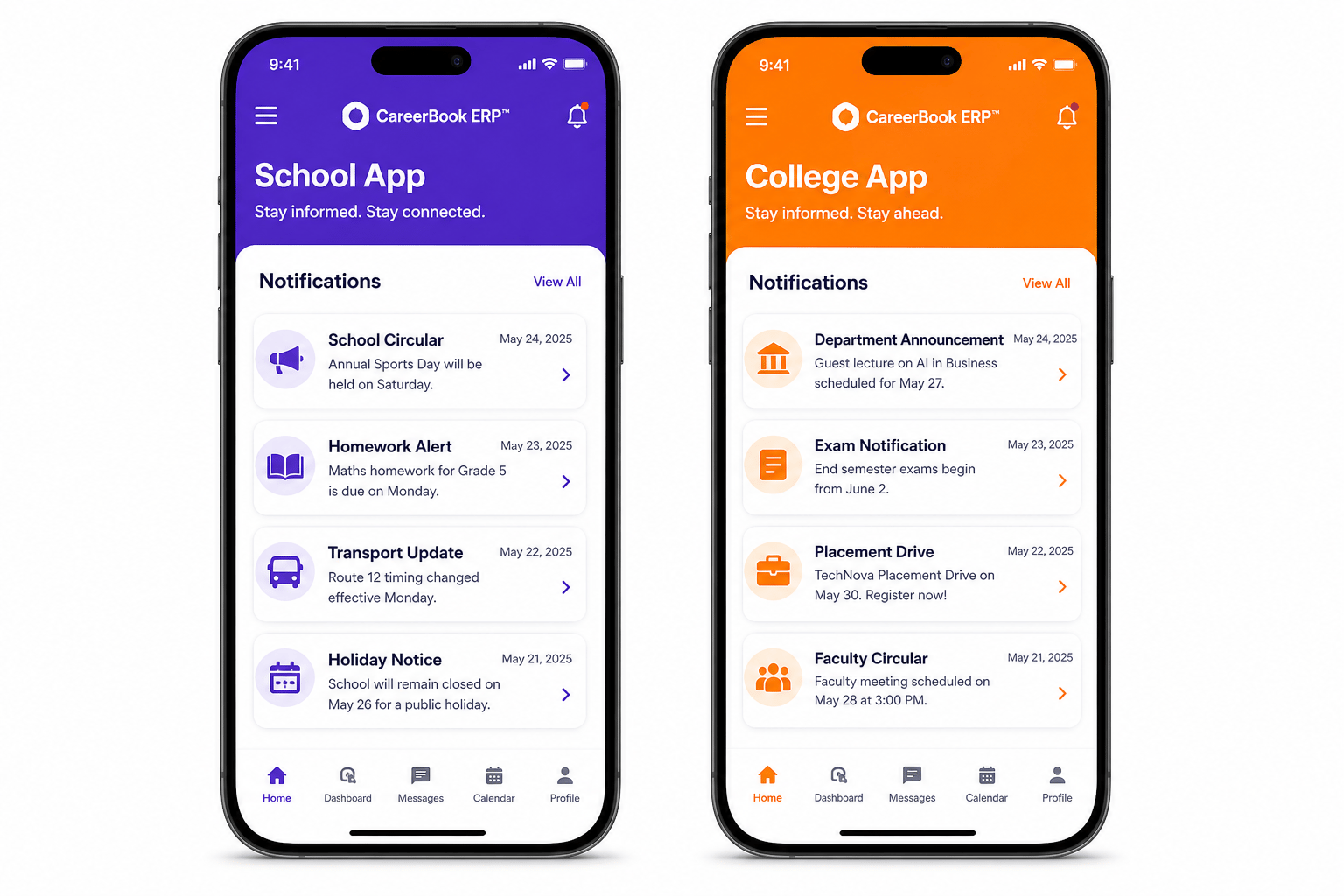
Illustrative School App and College App notification screens
Illustrative school and college app screens — synthetic demo notices only.

Smart, event-based communication

The Right Information. The Right Audience. The Right Time.

Example event types institutions commonly manage. Labels distinguish staff-created messages from triggers that may fire automatically when modules are configured — confirm each with product.

  • Holiday announcements

    Confirm
  • Examination notices

    Confirm
  • Transport updates

    Confirm
  • Attendance alerts

    Confirm
  • Timetable changes

    Confirm
  • Fee reminders

    Confirm
  • Event invitations

    Manual
  • General announcements

    Manual

Web & mobile experience

Communication Where Stakeholders Already Are

Web dashboards for authorised staff and mobile experiences for permitted roles. Prefer approved product screenshots; visuals on this page are illustrative concepts with synthetic content.

  • News and announcements feeds
  • Circulars and notification cards
  • Transport and attendance updates where configured
Mobile Apps
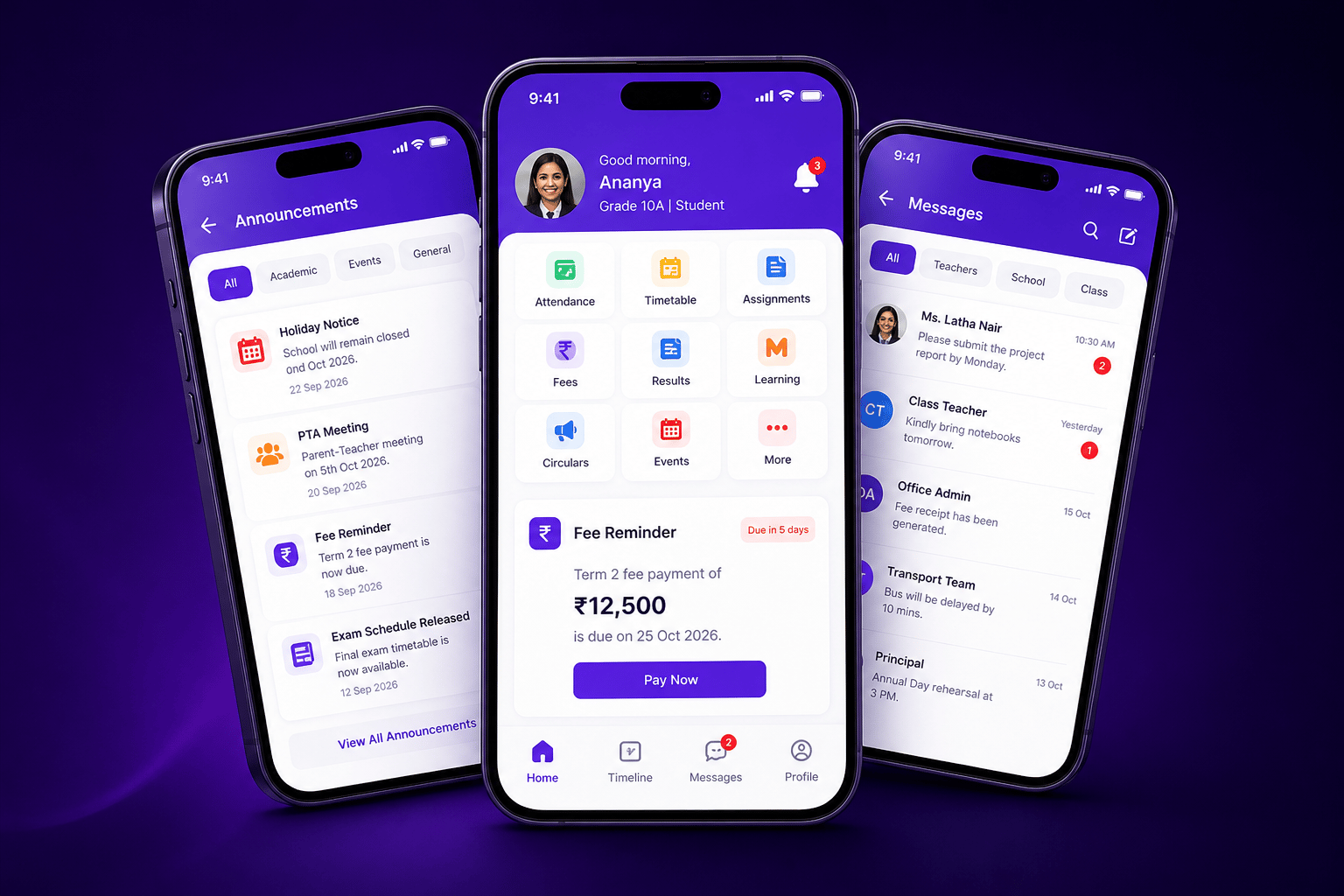
Illustrative web and mobile communication experience

CareerBook ERP integrations

Connected Across Your Institution

Describe each link as native, configured, manual or third-party only after confirmation. Do not imply every module publishes every alert automatically.

Communication analytics & reports

Metrics You Can Stand Behind

Show only metrics the product records. Submitted, delivered, failed and read are not interchangeable.

Messages by channel
Sample

Messages sent

8,452

Delivery rate

96%

Announcements

128

PushWhatsAppSMSEmail

Illustrative demo metrics — not customer delivery data.

Top announcements (demo)

  • Holiday announcement92%
  • Fee reminder81%
  • Exam timetable76%
  • Message counts

    Volumes by period for authorised communication managers — confirm exact definitions.

    Confirm
  • Channel breakdown

    Push, SMS, email, WhatsApp or in-app — only for channels that are live.

    Confirm
  • Delivery status

    Submitted / delivered / failed where the provider returns those states — not interchangeable with read.

    Confirm
  • Announcement history

    Record of who was contacted, when and on which channel where history is retained.

    Confirm

Governance and controls

Permissions, Templates and History

Avoid claiming security, approval or audit capabilities that have not been confirmed.

  • Confirm

    Role permissions

    Stakeholders receive only what institutional roles and settings allow.

  • Confirm

    Templates

    Reusable message templates — WhatsApp templates need provider approval where applicable.

  • Confirm

    Audience selection

    Target by class, department, campus or other segments where configured.

  • Confirm

    Approval workflows

    Publish approvals only if the product implements them for your edition.

  • Confirm

    Communication history

    Audit-friendly history to the extent logging is implemented — not absolute security claims.

  • Confirm

    Privacy controls

    Respect consent and applicable messaging rules; no blanket compliance claims.

Communication FAQs

Which stakeholders can receive communications?

Typically students, parents/guardians, teachers, staff and management — within role permissions and institution configuration. Not every role has identical access.

Is the suite available on web and mobile?

Web communication tools and mobile experiences are designed to work together where apps are published and features are enabled for the role. Confirm store availability and feature parity with product.

Which channels are supported?

Possible channels include news/circulars, in-app push, SMS, email, chat and WhatsApp — each marked Confirm until product validates provider, templates and live status for your deployment.

Can announcements be targeted by class, department or campus?

Audience segmentation is presented as Confirm/Configurable. Exact filters depend on your hierarchy and communication settings.

Are WhatsApp messages sent through an official API?

WhatsApp Business/API status, template approval, two-way messaging, charges and limits must be confirmed with product and the provider. Do not claim official API without evidence.

Which alerts are automatic?

Some event types may be staff-created; others may fire from module events (attendance, fees, exams) where triggers are configured. Distinguish automatic from manual before publishing trigger claims.

Bring Your Entire Educational Community Together.

Discover how CareerBook ERP™ can simplify and strengthen institutional communication and engagement.